Develop
Turn your ideas into a structured, well-documented business plan.
- Assisted writing and structure
- Market and customer research
- Costs and financial forecasts
A better-supported business plan
How it works
Define your project, organize your costs, develop your forecasts and prepare your funding. HorizonL guides you through every step in a single workspace.
Your information connects
HorizonL
One shared workspace
What HorizonL does for your projects
HorizonL makes the most of the information already available to help you move forward more efficiently, without repeating the same work at every step.
Turn your ideas into a structured, well-documented business plan.
A better-supported business plan
Identify what makes your project strong and what needs improvement.
A stronger, better-prepared project
Prepare funding activities using information already gathered.
Better-prepared applications
Documents, sources, contacts, reports and decisions stay connected to the same project.
Reuse your information at every next step.
Your journey
Simple actions, each with a clear outcome.
Keep information and documents together.
Define your market, organization and costs.
See gaps, risks and questions to validate.
Intelligent support for analysis and preparation.
Track funding, decisions and next actions.
How it works
Inside HorizonL
Find your project's main sections together in one interface.
Illustrative example
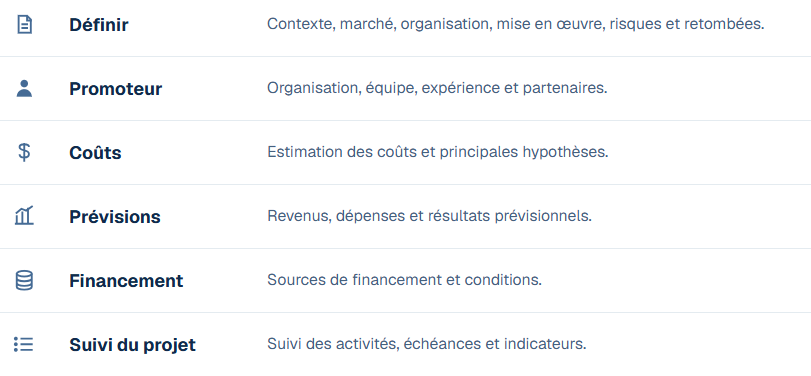
This screenshot shows how a project is organized in HorizonL. It contains no client information.
Explore the workspace and see how HorizonL fits into the way you work.